 FDZ Games
Snake
The classic arcade snake: eat apples, grow longer and steer clear of your own tail, in Classic, Wrap and Maze modes.
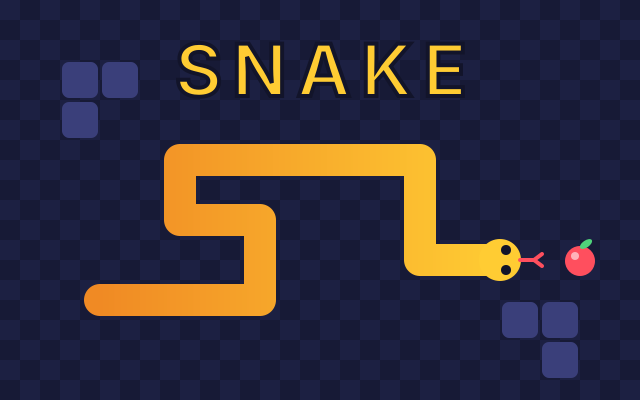
About Snake
Snake is one of the oldest and best-loved ideas in video games, and this version brings it to your browser with clean graphics, tight controls and three ways to play. You guide a hungry snake around a square board, one cell at a time. Every apple you eat makes the snake one segment longer and adds a point to your score. The catch is simple and merciless: the snake never stops moving, and if its head runs into its own body the run is over. The longer you survive, the more of the board your own tail takes up, and the harder every turn becomes.
The game is built around precise, honest controls. On a computer you steer with the arrow keys or with W, A, S and D. On a phone or tablet you swipe anywhere on the screen, and you can switch on a set of large on-screen arrows if you prefer buttons. Every turn you press is remembered in order, so a quick double tap such as up then left performs a clean U-turn on the next two steps instead of getting lost between frames. The game also ignores any input that would turn the snake straight back into its own neck, so a panicked key press never ends a run by itself.
There are three modes. Classic is the original: the edges of the board are walls, and touching one ends the run, so you have to plan your loops around the border as well as around your tail. Wrap removes the walls entirely. Leave the board on the right and you come back in on the left, which opens up shortcuts and long straight runs but makes it easy to forget where your tail has gone. Maze adds solid obstacles: four corner brackets and two bars in the middle of the board. The open space is smaller and the corridors are narrow, so it rewards careful routing more than speed.
Each mode can be played at four speeds. Slow is relaxed and good for learning, Normal is the familiar arcade pace, and Fast asks for quick reactions from the first apple. Rush starts at a comfortable pace and gets a little faster with every apple you eat, so a good run turns into a frantic one. The game keeps a separate high score for every combination of mode and speed, twelve records in all, so a personal best on Slow Classic never hides how you are doing on Fast Maze. Your best scores, your last chosen mode and speed, and your sound and arrow settings are saved in your browser on this device, with no account needed.
If a run ends early you can sometimes keep it going. When an optional video ad is available, the game-over screen offers a single continue per run: watch the ad and your snake comes back exactly where it crashed, already turned towards open space, waiting for your next move. If it was completely boxed in, the end of its tail is trimmed until there is a way out. You never have to watch anything to play, and the game simply hides the button when no ad is on offer.
Pausing is always one key away. Press Space or P, or tap the pause button, and the board freezes until you are ready. The game also pauses by itself if you switch tabs, lock your phone or click away from the window, and when you come back it waits for a direction before the snake moves again, so you never lose a run to a distraction. Sound effects are short synthesized blips that you can mute at any time with the speaker button or the M key.
Snake is free to play, loads in a moment and works on phones, tablets and computers, in portrait or landscape. The board scales to fit your screen and stays sharp on high-resolution displays. It is a perfect game for a short break: a single run takes anywhere from thirty seconds to several minutes, and there is always a reason to try one more time. Start on Classic at Normal speed, learn to keep your tail in tidy rows, and then see how far you can push your score when the snake starts to fill the board.
- Genre
- Arcade
- Released
- Platform
- Web browser (phone, tablet, desktop)
- Price
- Free
- Developer
- FDZ Labs Inc.
Features
- Three modes: Classic walls, Wrap-around edges and a Maze of obstacles
- Four speeds, including Rush, which speeds up with every apple
- Separate high score for every mode and speed, saved on your device
- Arrow keys or WASD on desktop; swipes and optional on-screen arrows on mobile
- Buffered turns for quick U-turns, and no accidental reversals
How to play
- Pick a mode and a speed, then press Play.
- Press an arrow key (or swipe) to set the snake moving.
- Steer with the arrow keys or W, A, S, D. On a phone, swipe in the direction you want to go.
- Eat the red apples. Each one adds a point and makes the snake one segment longer.
- Don't run into your own body. In Classic the edges are walls, and in Maze the blocks are too; in Wrap you pass through the edges.
- Press Space or P to pause. The game also pauses when you switch tabs.
Controls
Desktop
- Arrow keys or W, A, S, D to steer
- Space or P to pause and resume
- Enter to start or play again, Esc for the menu
- M to mute or unmute
Phone and tablet
- Swipe anywhere to steer; one long L-shaped swipe makes two turns
- Tap the board to start
- Optional on-screen arrows (tick On-screen arrows in the menu)
- Pause and sound buttons in the top bar
Tips and strategy
- Keep your body in tidy back-and-forth rows instead of loose loops. It leaves big open areas for later.
- Hug the edges early in Classic. It keeps the middle of the board free for when the snake gets long.
- Plan two moves ahead. Turns are buffered, so you can press up then left quickly for a tight U-turn.
- In Wrap mode, check the opposite edge before you cross it. Your tail may be waiting on the other side.
- On Rush, grab early apples quickly while the snake is short and slow, because every apple makes it faster.
Frequently asked questions
Is Snake free to play?
Yes. It runs in your browser for free, on phones, tablets and computers, with no download and no account.
What is the difference between Classic, Wrap and Maze?
In Classic the edges of the board are walls. In Wrap there are no walls: leaving one side brings you back on the opposite side. Maze keeps the walls and adds solid blocks you have to steer around.
Why didn't my snake turn around when I pressed the opposite direction?
A snake can't reverse straight into its own neck, so the game ignores that key instead of ending your run. To turn around, make two quick turns, such as up then left.
Where are my high scores saved?
In your browser on this device. There is a separate best score for every mode and speed. Clearing your browser data removes them.
Can I continue after I crash?
Sometimes. When an optional video ad is available, the game-over screen offers one continue per run that puts your snake back where it crashed. Watching is never required.
What happens if I fill the whole board?
You win. Once there is no free cell left for an apple, the run ends with a perfect score for that mode.